Find any document
on your computer.
Even when you cannot remember its name. Describe what you do remember: Retrio understands the contents of your documents and brings the right file to the top.
For example: “my February electricity bill”, “the photo of the dog at the beach” or “my insurance policy”.
Download Retrio for freeThe easiest way to understand Retrio is to see the real app finding a file.
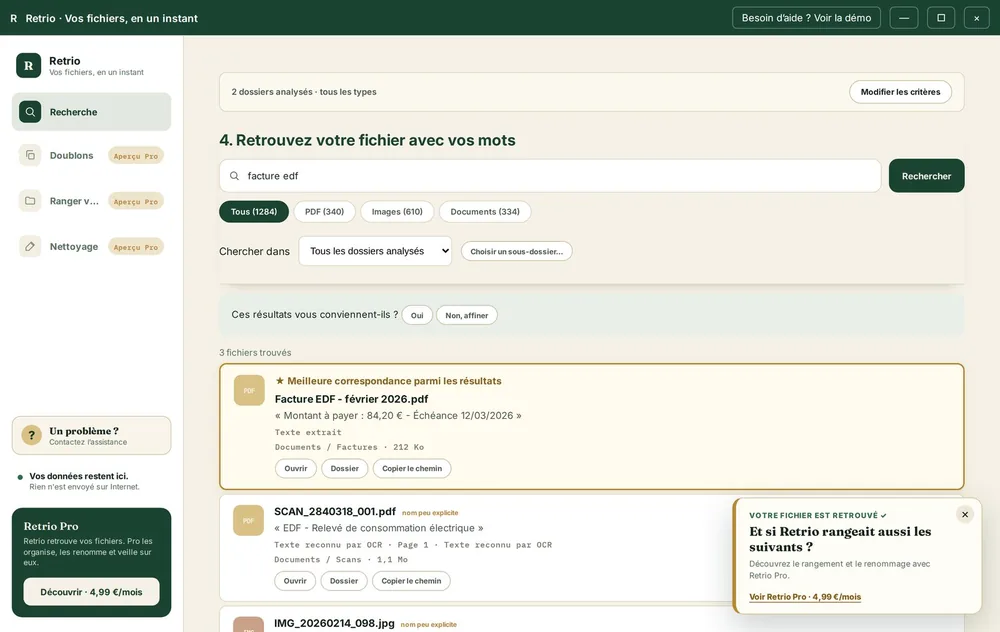
Here, Retrio searched for “electricity bill” and surfaced the right document as the best match, despite its unhelpful filename.
How it works
Stop opening folders and files one by one just to find what you need.
Choose where to search
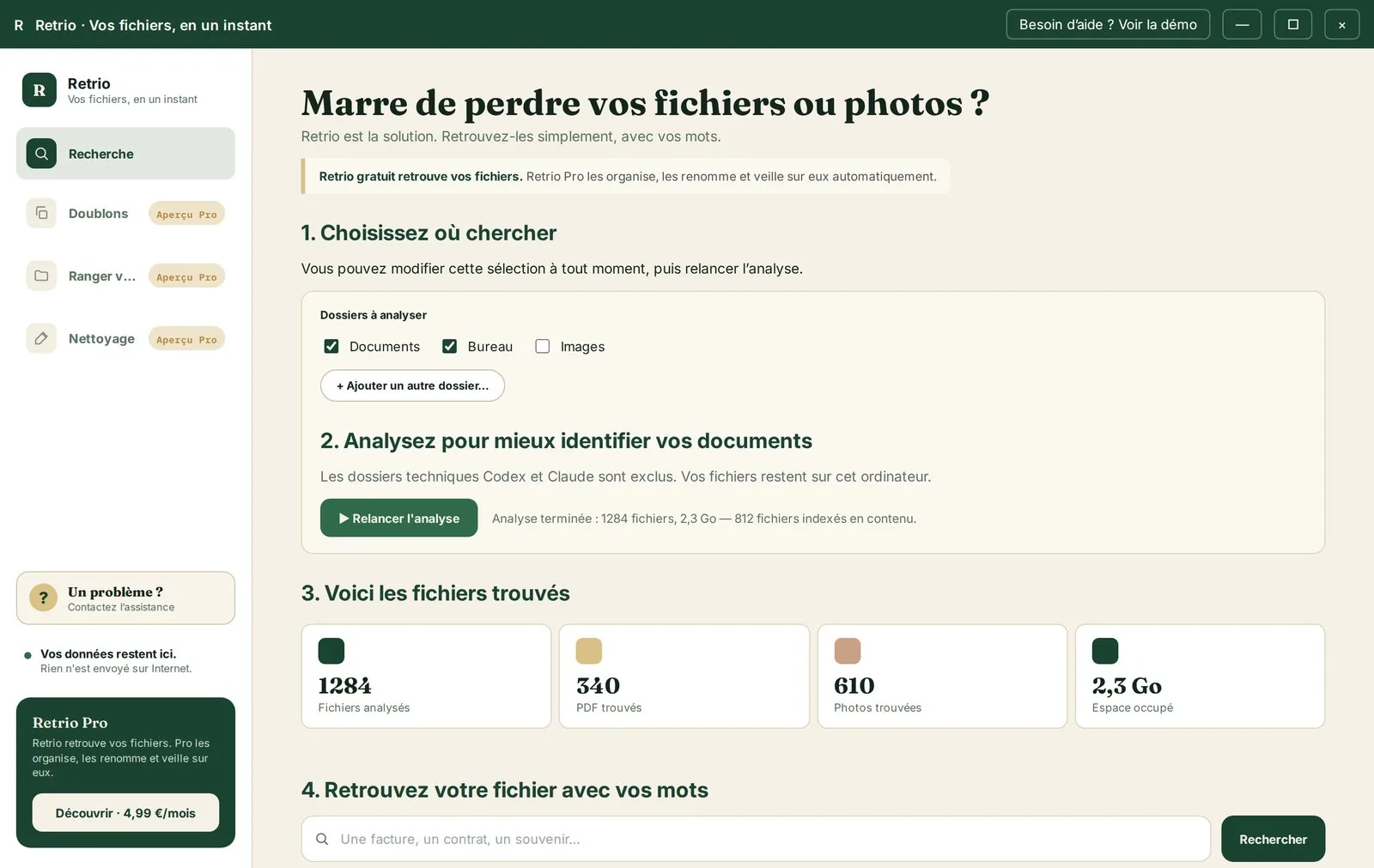
Select the folders you want Retrio to understand: Documents, Desktop, Pictures or an entire drive.
Build your private index
Retrio reads your documents and recognises your photos to understand what they contain.
Describe the file
Use your own words and whatever details you remember. You do not need the exact filename.
Open the right result
Retrio ranks the most relevant files and immediately highlights the best match.
The filename might be SCAN_2840318_001.pdf ?
Looking for a bill with a meaningless filename? Type “March electricity bill”. Retrio recognises the information inside the PDF and finds the right document. Watch it happen below.

This is not a mock-up. It is the real app.
Two real moments: Retrio finishes analysing your chosen folders, then finds the right file as soon as you describe it.
Download Retrio for free
Retrio finds documents and photos from the details you remember, even when their filenames are meaningless.
Download Retrio for free“There it is. ”
See how Retrio finds a file →Frequently asked questions
I cannot download Retrio.
Check whether your browser or antivirus blocked the download. If it still fails, email us and we will help you get the installer.
The app does not open or crashes at launch.
Make sure you are using Windows 10 or 11. Restart your computer and try again. If the issue continues, contact us and describe what happens.
Retrio cannot find one of my files.
Make sure the folder containing that file was selected during setup. You can add or remove folders at any time in Settings.
Another question?
Email us at retrio.pro@gmail.com, and we will get back to you as soon as possible.